How to debug IoT SIM attach failures

Mikk Lemberg
A device that won't connect to the cellular network is one of the most frustrating problems in IoT deployment – and one of the most common. The failure could be a dormant SIM, a mistyped APN, a roaming block, or a firmware quirk. Here's how to isolate which one.
In this article
- What "attach failure" actually means
- Layer 1: SIM state and provisioning
- Layer 2: Radio access and signal quality
- Layer 3: Network registration
- Layer 4: APN and PDP context
- Layer 5: Roaming and carrier policy
- eSIM-specific attach failures
- Frequently asked questions
- Key takeaways
What "attach failure" actually means
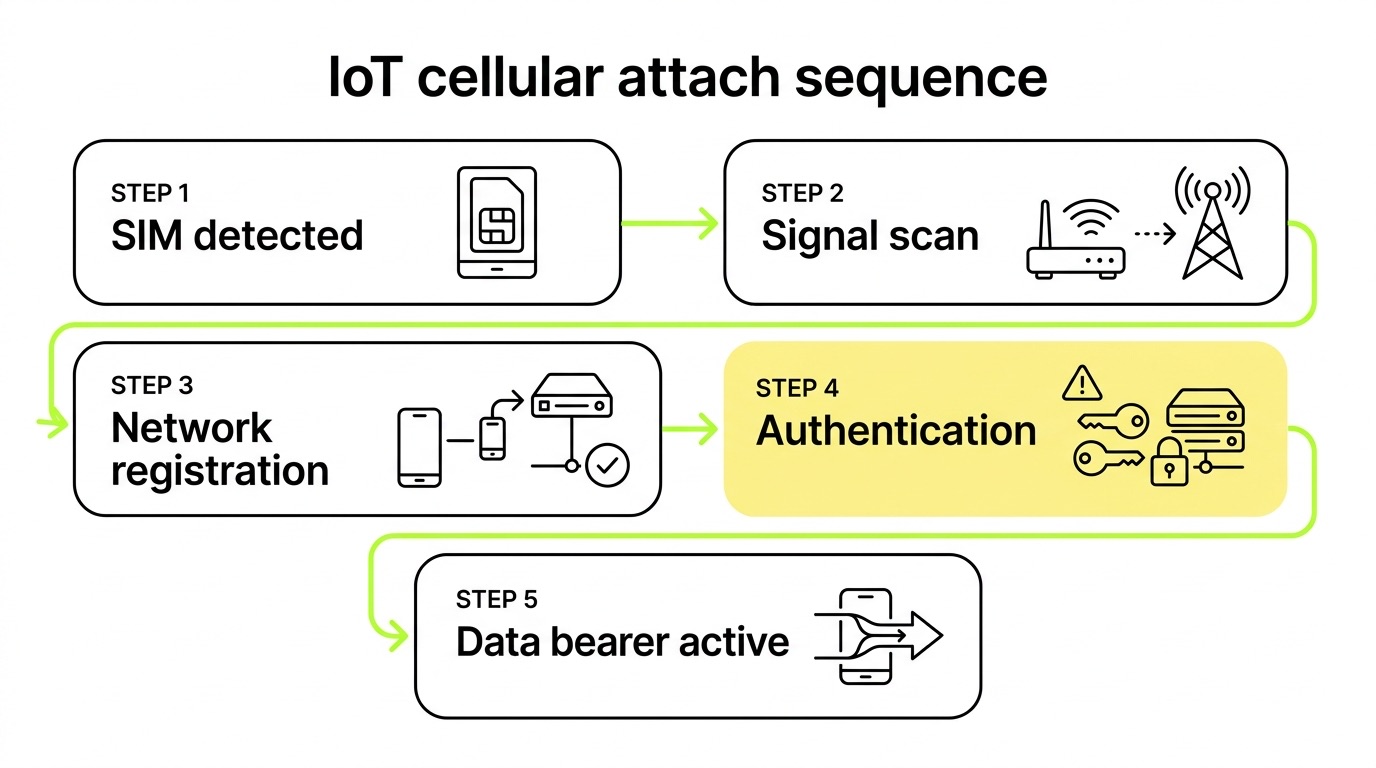
When an IoT device powers on, it runs a sequence: detect SIM → scan for signal → register on a network → authenticate with the home subscriber system → activate a data bearer. A failure at any stage looks identical from the outside – the device simply has no connection. Knowing which stage broke is everything.
The systematic approach below treats attach failure as a stack of layers. Work from the bottom up. Skipping ahead wastes time and produces false diagnoses.
Layer 1: SIM state and provisioning
Before the radio does anything, the SIM must be in an active state and the device must detect it cleanly. This is the layer most engineers skip in their rush to check signal strength – and it's the one that bites them most often.
Check these first:
- SIM activation status – Log into your connectivity management platform and confirm the SIM is active, not in test, suspended, or deactivated state. Many SIMs ship in a dormant state and require explicit activation. In our experience, this is the single most common cause of attach failure, and it takes 30 seconds to rule out.
- Physical SIM seating – If using a physical SIM, verify the card is fully seated. Run
AT+CPIN?via serial console. The expected response is+CPIN: READY. Any other response (SIM NOT INSERTED,SIM FAILURE) points to a hardware or contact issue. - ICCID/IMSI verification – Run
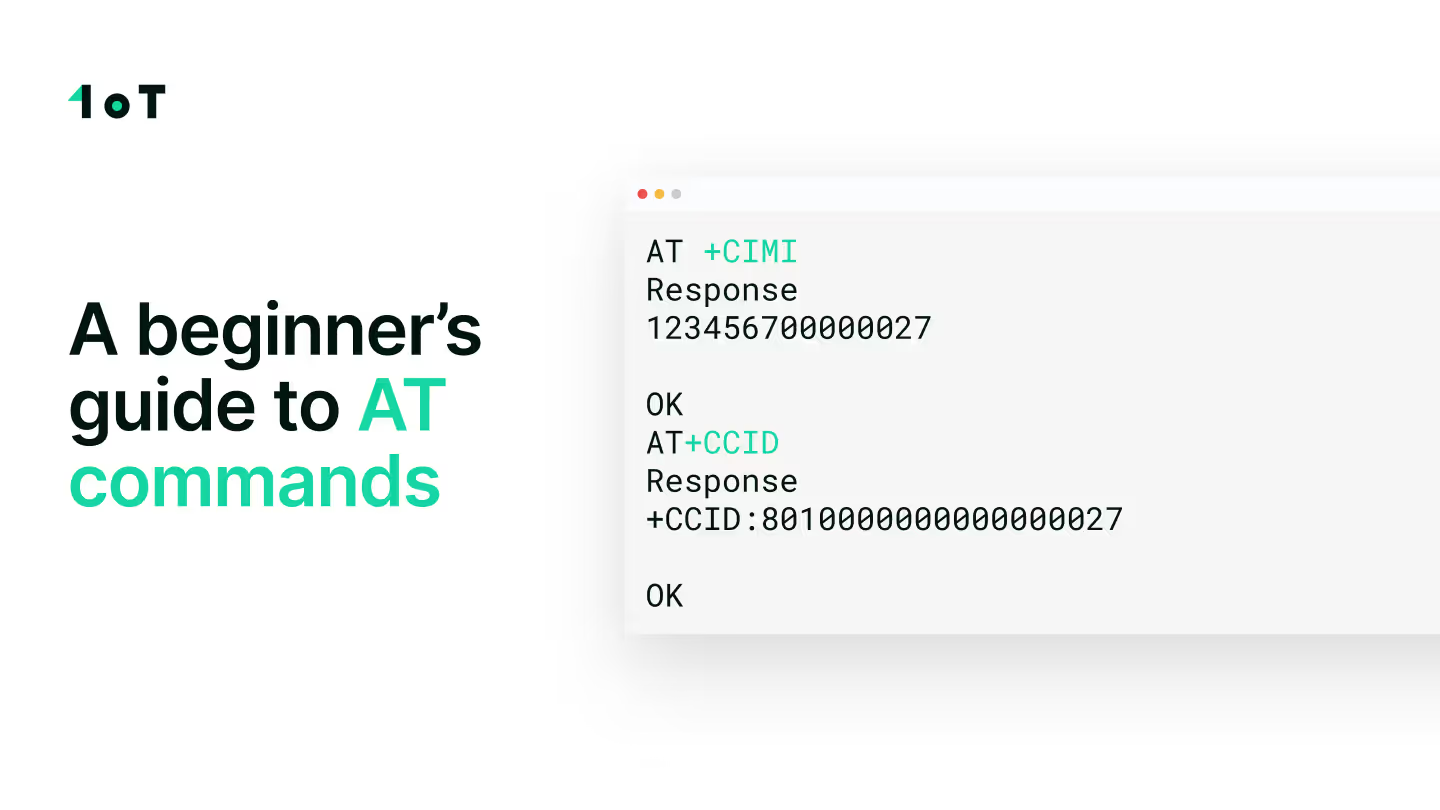
AT+CCIDto read the ICCID from the module, then cross-reference it with the SIM record in your management platform. An ICCID mismatch between what the modem reports and what the platform expects points to a provisioning error. The relationships between ICCID, IMSI, IMEI, and MSISDN are explained in detail in this breakdown of SIM card identifiers. - IMEI lock / pairing – Some deployments use IMEI-to-SIM pairing as a security measure. If the module's IMEI doesn't match the paired value in the platform, authentication will fail at the HSS level – not the radio level – and the reject cause won't make that obvious. Verify pairing in the platform before escalating.
Layer 2: Radio access and signal quality
Assuming the SIM is active and readable, the next question is whether the modem can see a network at all.
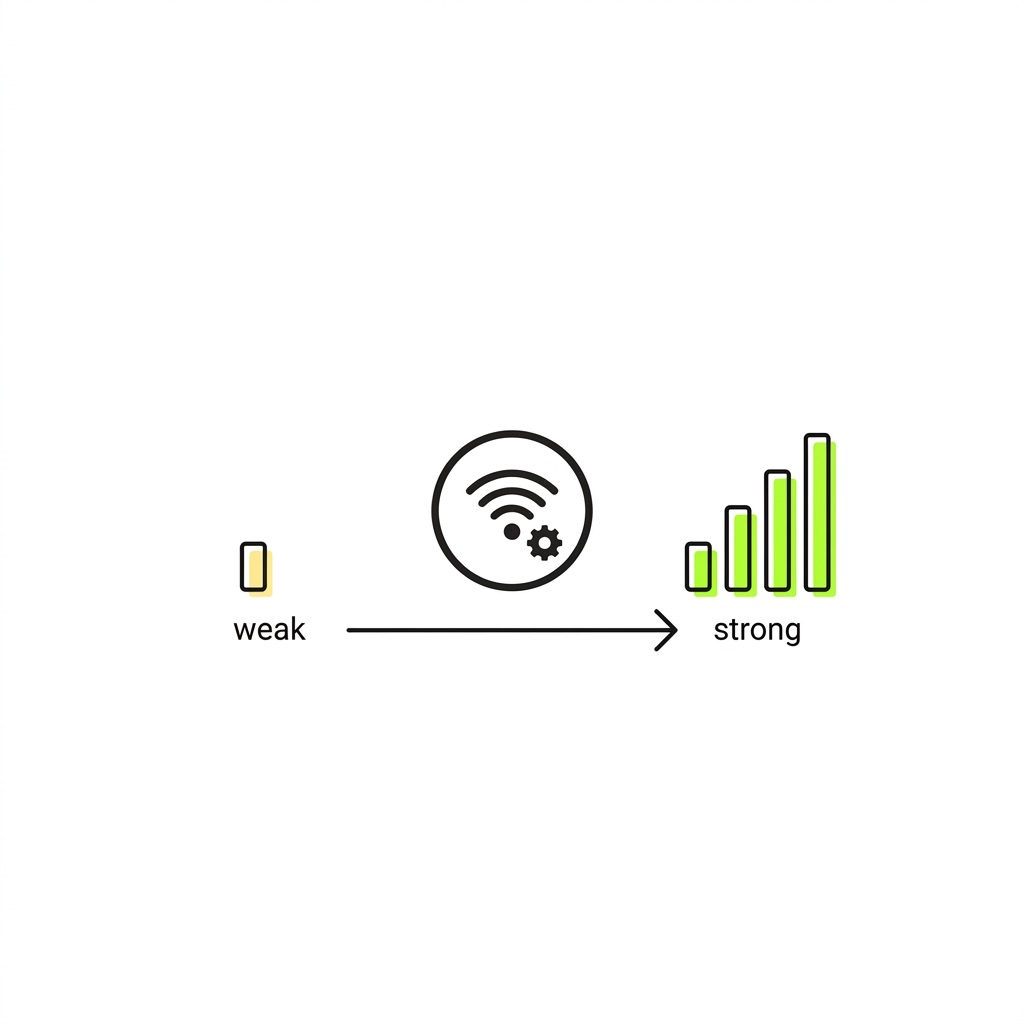
Run AT+CSQ. The response is an RSSI value from 0 to 31, where anything below 10 is marginal and below 5 is effectively non-functional. A response of 99 means no signal detected. If signal is weak or absent, the following are the most likely culprits.
Common causes of radio failure:
- Unsupported frequency bands – This is more common than it should be. A module may support LTE broadly but lack the specific regional bands in use. A module qualified for European deployments may be missing Band 12, 13, or 14 – frequencies used heavily by US carriers. Check your module's band support against the target network's band plan before deployment, not after.
- Antenna issues – A disconnected, poorly routed, or impedance-mismatched antenna will produce low
AT+CSQvalues even in locations with adequate coverage. Test with a known-good external antenna before blaming the network. - Network technology mismatch – If your module is configured for NB-IoT only but local NB-IoT coverage is limited or absent, the device will find nothing to attach to. For most deployments, NB-IoT and LTE-M should include a fallback RAT – 2G at minimum – so devices can connect where LPWA coverage is unavailable.
Layer 3: Network registration
With signal confirmed, the modem must register on a network. This is where 3GPP reject cause codes become useful for diagnosis.

Key AT commands:
AT+CREG?– 2G/3G registration statusAT+CEREG?– LTE/5G EPS registration statusAT+CGREG?– GPRS registration status
Expected <stat> values are 1 (registered, home network) or 5 (registered, roaming). Any other value signals a problem:
When stat = 3, the reject cause code is your next data point. Common EMM cause codes under 3GPP TS 24.301:
- #11 – PLMN not allowed: The SIM's home network has barred this visited network. A roaming agreement is missing, or the SIM is not provisioned for this country.
- #7 / #14 – EPS services not allowed: A policy-level block. Common when NB-IoT or LTE-M devices lack the VoLTE capability required by certain carriers, or when the APN is invalid at the core network level.
- #15 – No suitable cells in tracking area: The device's supported bands don't match available cells – band mismatch confirmed.
- #25 – CSG unauthorized: The target cell is part of a Closed Subscriber Group the SIM isn't authorised for.
If the modem won't register on any network, run AT+COPS=? to scan all visible operators. If the scan returns operators but automatic registration still fails, try forcing manual selection with AT+COPS=1,2,"<MCCMNC>". Our beginner's guide to AT commands covers these commands with practical context.
Layer 4: APN and PDP context
Network registration succeeded – the modem shows stat = 1 or 5 – but there's still no data. This is almost always an APN problem, and it's one of the most frequent causes of "connected but can't transmit" failures we see across deployments.

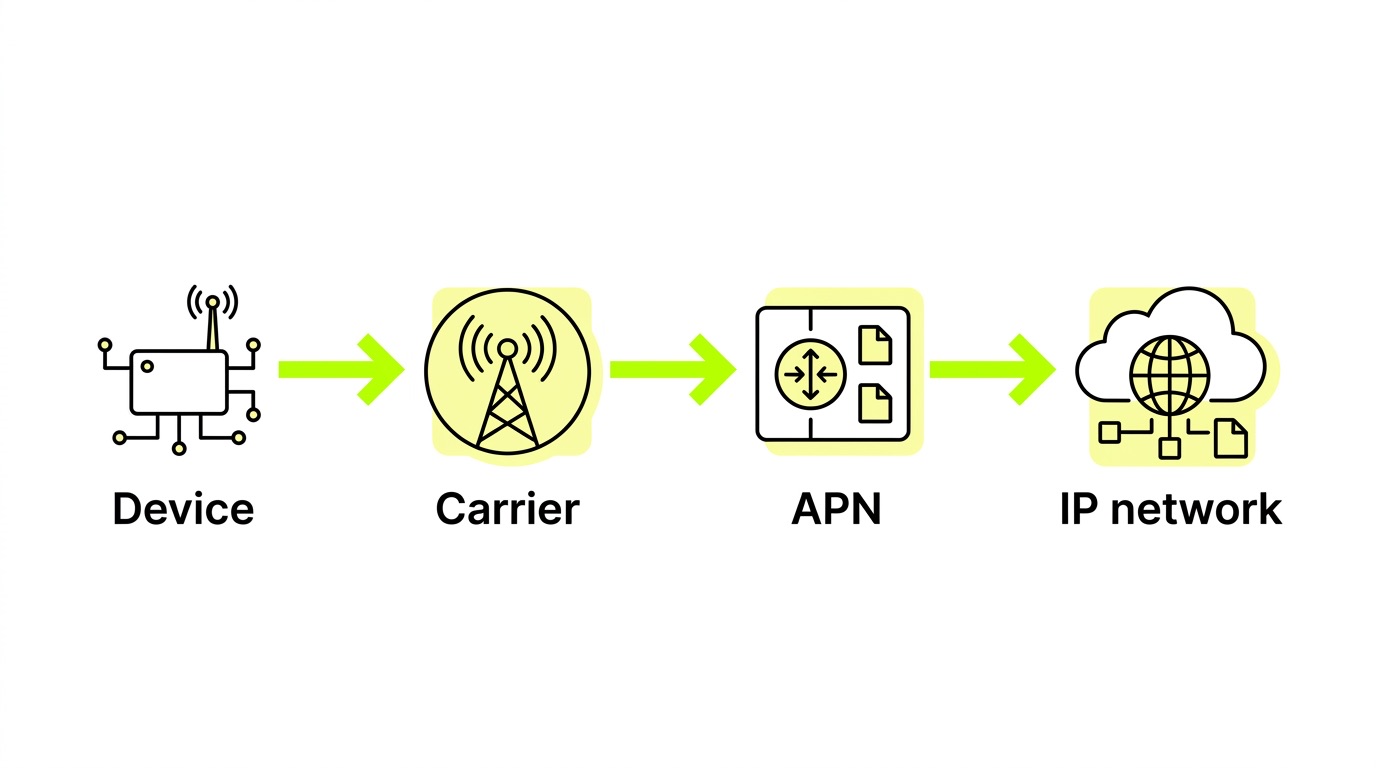
The APN tells the network where to route your device's traffic. A wrong or missing APN means PDP context activation fails at the GGSN/PGW, and the device never receives a usable IP address. Our APN explainer covers the full mechanics of how APNs work within the mobile network.
Diagnostic steps:
- Check the current APN:
AT+CGDCONT? - Set the correct APN:
AT+CGDCONT=1,"IP","<your-apn>" - Activate the PDP context:
AT+CGACT=1,1 - Verify IP assignment:
AT+CGPADDR=1
Common APN mistakes:
- Using a consumer APN string for an M2M SIM (e.g.,
internetinstead of the carrier's IoT-specific APN) - Wrong authentication type – some APNs require PAP or CHAP credentials; sending none will fail silently
- Blank APN field – some modules default to an empty APN string, which certain networks reject outright
- Private APN not yet provisioned – if your SIM is configured for a private APN, that APN must be set up on the network side before devices can use it
If you're running a private APN with a fixed IP or VPN tunnel for secure device communication, verify the configuration end-to-end on both sides. Understanding the differences between private APN, VPN, and fixed IP is worth the time before assuming the fault is on the SIM side.
Layer 5: Roaming and carrier policy
If a device works on its home network but fails when deployed abroad, you're likely hitting a roaming restriction. This layer catches a specific class of failure that becomes increasingly relevant as IoT deployments cross borders – and one that can be invisible until devices are already in the field.
What to check:
- Roaming enabled on SIM – Confirm in your management platform that international roaming is active for this SIM. Some SIMs ship with roaming disabled by default.
- Roaming enabled on module – On Quectel modules, roaming must be explicitly enabled via
AT+QCFG="roamservice",1. Without this, the modem may only attempt registration on the home network. - Permanent roaming flags – Devices that have been on a foreign network for an extended period can be classified as permanently roaming and blocked – sometimes at the IMEI level, which means a physical SIM swap won't resolve it. The guide to navigating roaming restrictions covers how this plays out across different markets.
- Network steering – Steered SIMs direct devices toward preferred partner networks. If that partner has changed its roaming policies or has poor local coverage, the SIM may refuse to register elsewhere even when alternatives are available. Non-steered SIMs connect to the strongest available network, bypassing this class of failure entirely.
eSIM-specific attach failures
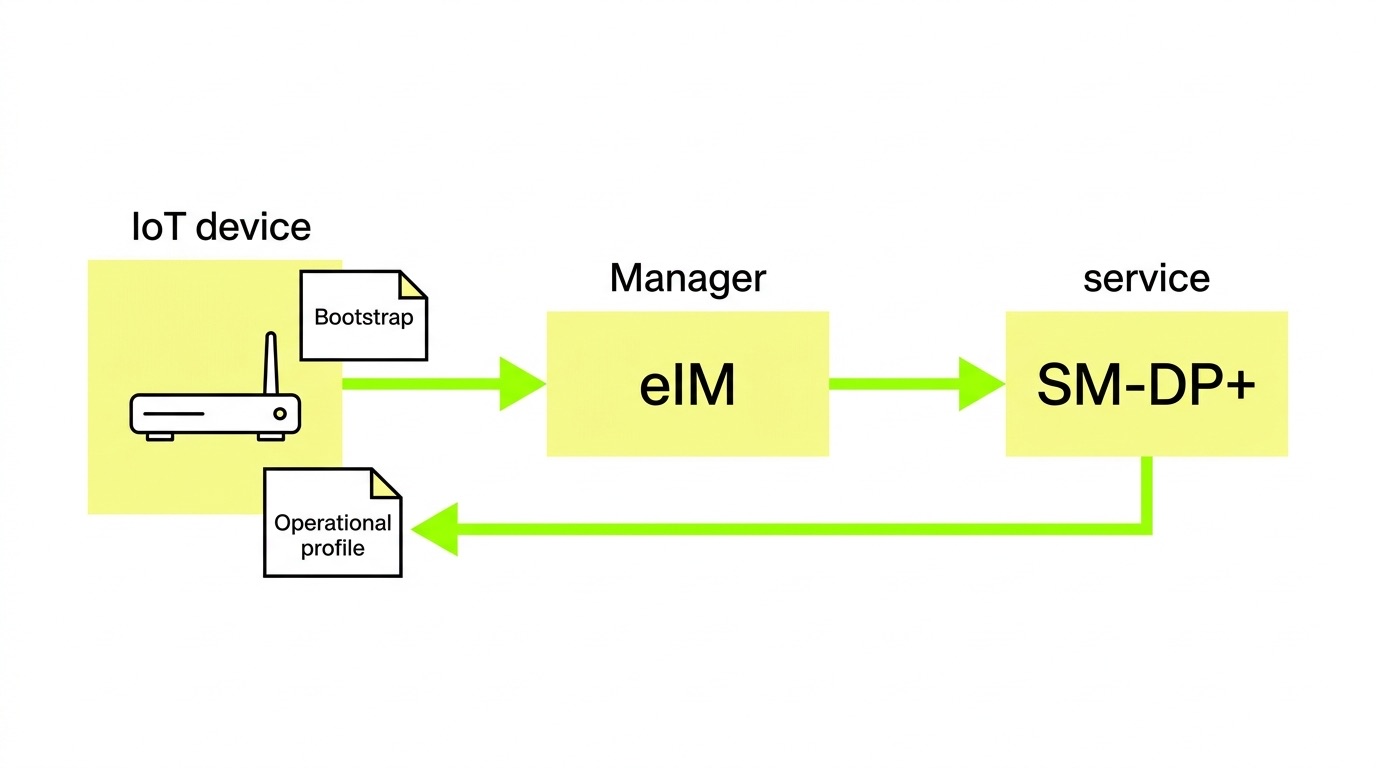
eSIM deployments introduce provisioning-layer failures that simply don't exist with physical SIMs. If the wrong profile is active – or no operational profile has been downloaded – the device presents credentials to the network that don't match any subscriber record. From the modem's perspective, it looks like any other registration failure, which makes the root cause easy to misdiagnose.
Key eSIM checks:
- Active profile verification – Run
AT+CCIDto confirm which ICCID is currently active. If it doesn't match the intended profile, the eSIM LPA (Local Profile Assistant) may not have completed the switch. Profile enable and disable operations can take up to five minutes on some hardware. - Bootstrap profile behaviour – At factory state, an eSIM typically holds a bootstrap profile with limited connectivity – sufficient only to download an operational profile. A device stuck on the bootstrap profile will attach to the network but data sessions will fail or be heavily restricted.
- SM-DP+ reachability – For profile downloads to succeed, the device must reach the SM-DP+ server. If the bootstrap profile's APN doesn't permit external DNS resolution or HTTPS traffic, the download will stall silently. Check both firewall rules and the APN configuration for the bootstrap profile specifically.
- Device compatibility – The most common cause of remote provisioning failure is device incompatibility. The module must support SMS-PP MO/MT, BIP/CAT-TP, SIM Toolkit, and the relevant AT command set for eSIM operations. Verify this against the module datasheet before spending time diagnosing network-side issues.
For a practical walkthrough of configuring a Quectel EC25-E module for eSIM – including PDP context activation – the step-by-step AT commands guide for eSIM setup covers the full command sequence.
Multi-network eSIM connectivity reduces the blast radius of any single attach failure. Rather than a device staying offline until a field technician intervenes, the network layer handles failover automatically. 1oT's IoT eSIM and M2M eSIM are built around this principle: one SIM, multiple carrier profiles, switched over the air without physical intervention.
Frequently asked questions
Why does my device show "registered" but still can't send data?
Registration (AT+CEREG stat = 1 or 5) confirms the device has attached to the network at the radio layer. Data failure at this point is almost always an APN or PDP context issue – the network doesn't know where to route the device's traffic. Check AT+CGDCONT? to verify the APN string, then run AT+CGACT=1,1 to attempt manual PDP activation. If activation fails, the error code will indicate whether it's an authentication problem, a network-side configuration issue, or a barred SIM.
How do I know if my SIM is being blocked by a carrier rather than just failing to register?
Reject cause codes are your clearest signal. A stat = 3 from AT+CEREG? with cause code #11 (PLMN not allowed) or #7/#14 (EPS services not allowed) indicates a carrier-side policy block, not a device or SIM misconfiguration. If the same SIM works in a different device or on a different network, the block is carrier-specific. Escalate through your connectivity provider to investigate roaming agreement status or SIM provisioning on that PLMN.
Can a firmware update fix an attach failure?
Sometimes. Firmware defects in cellular modules can cause excessive attach signalling, malformed attach requests, or modem states that require a hard reset to recover. Always check the module vendor's firmware release notes for known attach-related issues before assuming the connectivity layer is at fault. That said, firmware won't fix a barred SIM, a misconfigured APN, or a missing roaming agreement – exhaust those checks first.
Key takeaways
- Work the stack in order: SIM state → signal quality → network registration → APN/PDP context → roaming policy. Most failures resolve at layers 1–4 without requiring carrier escalation.
- Reject cause codes are diagnostic data, not dead ends. Codes #7, #11, #14, and #15 each point to a specific failure class – roaming policy, carrier block, APN misconfiguration, or band mismatch respectively.
- APN misconfiguration is the leading cause of "registered but no data" failures. Verify the APN string, authentication type, and – for private APNs – that network-side provisioning is complete before assuming the problem lies elsewhere.
- eSIM failures often happen at the provisioning layer, not the radio layer. Confirm the correct profile is active via
AT+CCIDbefore escalating to network-side investigation. - Non-steered, multi-network SIMs reduce attach failure frequency by connecting to the strongest available network rather than queuing for a steering-preferred operator that may be congested or unavailable.
If you're consistently hitting attach failures that don't resolve through the steps above, the problem usually traces back to one of three things: a hardware module that isn't validated for your target markets, a connectivity platform that lacks per-SIM visibility to catch provisioning errors early, or roaming restrictions that require local carrier profiles rather than roaming. 1oT's connectivity platform is built to surface and resolve all three – with real-time SIM state visibility, multi-network coverage across 190+ countries, and over-the-air profile switching so attach failures don't require a field visit.










.avif)



.avif)